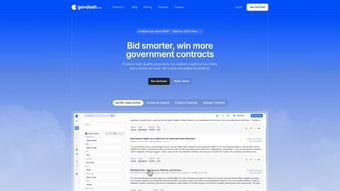

Download Govdash – AI‑Powered Government Proposal Builder, Free Secure Tool for RFPs
Overview of Govdash
Govdash is a cloud‑based software application designed specifically for government contractors who need to respond to Requests for Proposals (RFPs) faster, more accurately, and with a higher win probability. The platform leverages advanced natural‑language‑processing (NLP) and machine‑learning models to read dense RFP documents, extract mandatory requirements, and automatically generate a structured proposal outline that conforms to agency formatting rules. What sets Govdash apart from generic document generators is its deep integration with Microsoft Word, allowing users to continue working in the familiar Office environment while benefitting from AI‑driven content creation.
In addition, Govdash stores historical performance data and uses it to surface upcoming opportunities that match a company’s past success profile, turning the tool into both a drafting assistant and a strategic business‑development engine. The solution is delivered as a secure SaaS platform with optional on‑premises deployment for organizations that must keep data behind a corporate firewall. By combining AI extraction, one‑click draft generation, collaborative Word editing, and proactive opportunity identification, Govdash promises to reduce proposal development cycles from days to hours, improve compliance, and ultimately increase contract award rates.
Whether you are a boutique firm looking for a cost‑effective way to compete on larger contracts or a seasoned contractor seeking to streamline a high‑volume pipeline, Govdash provides a free trial that lets you test the core features before committing to a subscription.
Key Features and Benefits of Govdash
AI‑Driven RFP Parsing and Requirement Extraction
The heart of Govdash is its AI engine that can ingest PDF, DOCX, or scanned image files and instantly surface critical elements such as solicitation requirements, evaluation criteria, budget limits, and submission deadlines. The system applies OCR to scanned PDFs, ensuring that even legacy documents become searchable text. Once parsed, the platform highlights any missing compliance items, giving proposal managers a safety net that reduces the risk of disqualification due to overlooked clauses. The extraction accuracy improves over time as the model learns from user corrections, creating a feedback loop that continuously refines the AI’s performance.
Dynamic Outline Generation and Full Draft Creation
After parsing, Govdash automatically builds a hierarchical outline that mirrors the exact structure requested by the agency. Users can accept the outline as‑is, rearrange sections, or add custom headings to align with their unique value proposition. With a single click, the outline expands into a complete draft populated with boilerplate language, past‑performance excerpts, and suggested metrics drawn from the contractor’s internal database. The AI also suggests alternative phrasing to improve clarity and compliance, but it always leaves the final editorial control in the hands of the user.
Seamless Microsoft Word Integration
Recognizing that most government contractors already rely on Microsoft Word for document creation, Govdash provides a native plug‑in that injects the AI‑generated content directly into a Word file. The plug‑in preserves agency‑required styles, headings, pagination, and table of contents formatting, eliminating the need for manual re‑formatting. Teams can collaborate in real time using Word’s built‑in comment and track‑changes features, while the Govdash dashboard stays synchronized, ensuring that every edit is reflected instantly across both environments.
Opportunity Radar Powered by Historical Performance
Govdash does more than draft proposals; it also acts as a strategic scouting tool. By analyzing a company’s past award history, the platform recommends new RFPs that align with proven strengths, geographic focus, and technical capabilities. The radar includes a scoring system that ranks opportunities based on win probability, helping business‑development teams prioritize leads that offer the greatest return on effort.
Security, Version Control, and Auditability
Security is a top priority for Govdash. All data in transit is encrypted with TLS 1.3, and data at rest is stored using AES‑256 encryption. Role‑based access controls allow administrators to limit who can view, edit, or export proposals. Every action—upload, edit, export—is logged in an immutable audit trail, simplifying internal compliance checks and external audits required by NIST 800‑171 and other federal standards.
- Automatic extraction of solicitation requirements, evaluation factors, and deadlines.
- AI‑generated outlines that follow agency‑specific formatting.
- One‑click creation of full proposal drafts using company‑specific data.
- Native Microsoft Word plug‑in for seamless editing and collaboration.
- Opportunity radar that matches new RFPs with past performance.
- Secure cloud storage with role‑based access and AES‑256 encryption.
- Comprehensive version history and audit log for compliance verification.
Installation, First‑Time Setup, and Compatibility
Web‑Based Access and Optional On‑Premises Deployment
Govdash is offered primarily as a Software‑as‑a‑Service (SaaS) solution. After purchasing a subscription, users receive a secure login link and can access the dashboard from any modern web browser—Chrome, Edge, Firefox, or Safari—without any client‑side installation. For organizations that must keep data behind their own firewall, Govdash provides a Docker‑based container that can be deployed on Linux servers (Ubuntu 20.04 LTS or later) and orchestrated with Kubernetes. The on‑premises option includes detailed documentation for SSL certificate configuration, LDAP/SAML integration, and network firewall rules.
Step‑by‑Step Workflow for Creating a Proposal
- Upload the RFP: Drag and drop the PDF, DOCX, or scanned file into the Govdash dashboard. The AI begins parsing immediately.
- Review extracted data: A summary panel lists key requirements, evaluation criteria, and deadlines. Users can correct any mis‑interpreted items before proceeding.
- Select a template: Choose an agency‑specific template or a custom company template stored in the system.
- Generate the outline: Click “Create Outline” to receive a hierarchical structure that mirrors the solicitation.
- Customize sections: Add, remove, or rename headings to better reflect your solution approach.
- Expand to full draft: Press “Generate Draft.” Govdash fills each section with AI‑crafted prose, pulling in past‑performance excerpts and technical data.
- Edit in Word: Launch the Word plug‑in; the draft appears in a fully formatted document. Collaborators can comment, track changes, and co‑author in real time.
- Finalize and submit: Export the final PDF or upload directly to the agency portal if supported.
Operating System Support and Mobile Access
Because the core product runs in a browser, Govdash is compatible with Windows 10/11, macOS 12+, Linux distributions, as well as mobile platforms such as iOS 14+ and Android 10+. The optional Docker container runs on Linux and can be hosted on on‑premises servers or private clouds. Mobile browsers provide full read‑only access, while the Word plug‑in requires a desktop environment for full editing capabilities.
Security, Updates, and Ongoing Support
Govdash follows a continuous‑delivery model. Security patches and feature enhancements are rolled out weekly without downtime. All data is stored in ISO‑27001‑certified data centers that meet FedRAMP‑moderate requirements. Customers receive 24/7 email support, a dedicated account manager for enterprise plans, and access to a knowledge base with video tutorials, best‑practice guides, and an active community forum.
Pros, Cons, Frequently Asked Questions, and Final Review
Pros & Cons
- Pros
- AI dramatically cuts initial drafting time, turning days of work into hours.
- Native Microsoft Word integration preserves existing workflows and formatting standards.
- Opportunity radar adds strategic value by highlighting high‑probability contracts.
- Cross‑platform access via any modern browser, including mobile read‑only mode.
- Robust security architecture meets federal compliance requirements.
- Cons
- AI‑generated content still requires human review to ensure nuance and regulatory compliance.
- Subscription pricing may be a hurdle for very small firms or startups.
- On‑premises deployment demands Docker/Kubernetes expertise.
Frequently Asked Questions
Can Govdash handle multi‑page PDFs with scanned images?
Yes. Govdash includes OCR (Optical Character Recognition) that converts scanned images into searchable text before the AI extraction begins.
Is there a free trial available?
Govdash offers a 14‑day free trial with full feature access, allowing teams to evaluate AI drafting and Word integration before committing.
How does Govdash ensure compliance with agency‑specific formatting rules?
During parsing, Govdash extracts formatting guidelines from the RFP and automatically applies them to the generated outline and draft. Users can still make manual adjustments in Word if needed.
Can multiple users collaborate on the same proposal simultaneously?
Yes. Govdash supports real‑time collaboration with role‑based permissions, and changes sync instantly between the web dashboard and the Word document.
What support options are available for troubleshooting?
Subscribers receive 24/7 email support, a dedicated account manager for enterprise plans, and access to an online knowledge base with video tutorials, FAQs, and community forums.
Overall Verdict: Govdash is a game‑changing solution for government contractors seeking to accelerate proposal development while maintaining strict compliance. The AI’s ability to parse complex RFPs, generate ready‑to‑edit drafts, and surface new opportunities provides tangible ROI that often outweighs the subscription cost. While human oversight remains essential for final quality assurance, the time saved—typically several days per proposal—makes Govdash a worthwhile investment for firms of any size.
Download Govdash now to start your free trial and experience how AI can streamline your government contracting workflow.



.png)



